Router Configuration
Avtex Router — Configuration Guide
Step 1: Insert SIM Card
Insert the SIM into the slot marked SIM 1.
Step 2: Locate Router Information
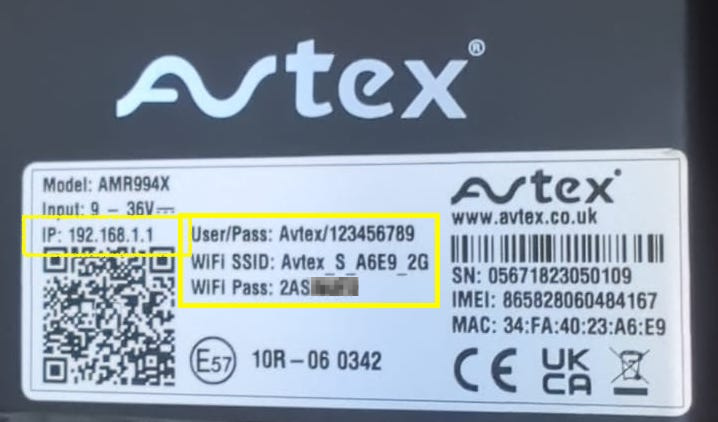
Record two details from the back of your Avtex router:
- WiFi SSID — the name of the Wi-Fi network for connecting devices
- WiFi Password — required for device connection; share only with trusted users
Step 3: Power On and Connect to WiFi
Power on the router and connect via WiFi using your SSID and password. This step is mandatory before configuration. The connection process takes approximately one minute and can be performed on phones, tablets, or laptops.
Step 4: Access Router Interface
Open a web browser and enter http://192.168.1.1 in the address bar. You must be connected to the router's WiFi network.
Log in with the following credentials:
- Username: admin
- Admin Password: 987654321
- Read-Only Password: 123456789
Step 5: Configure APN Settings
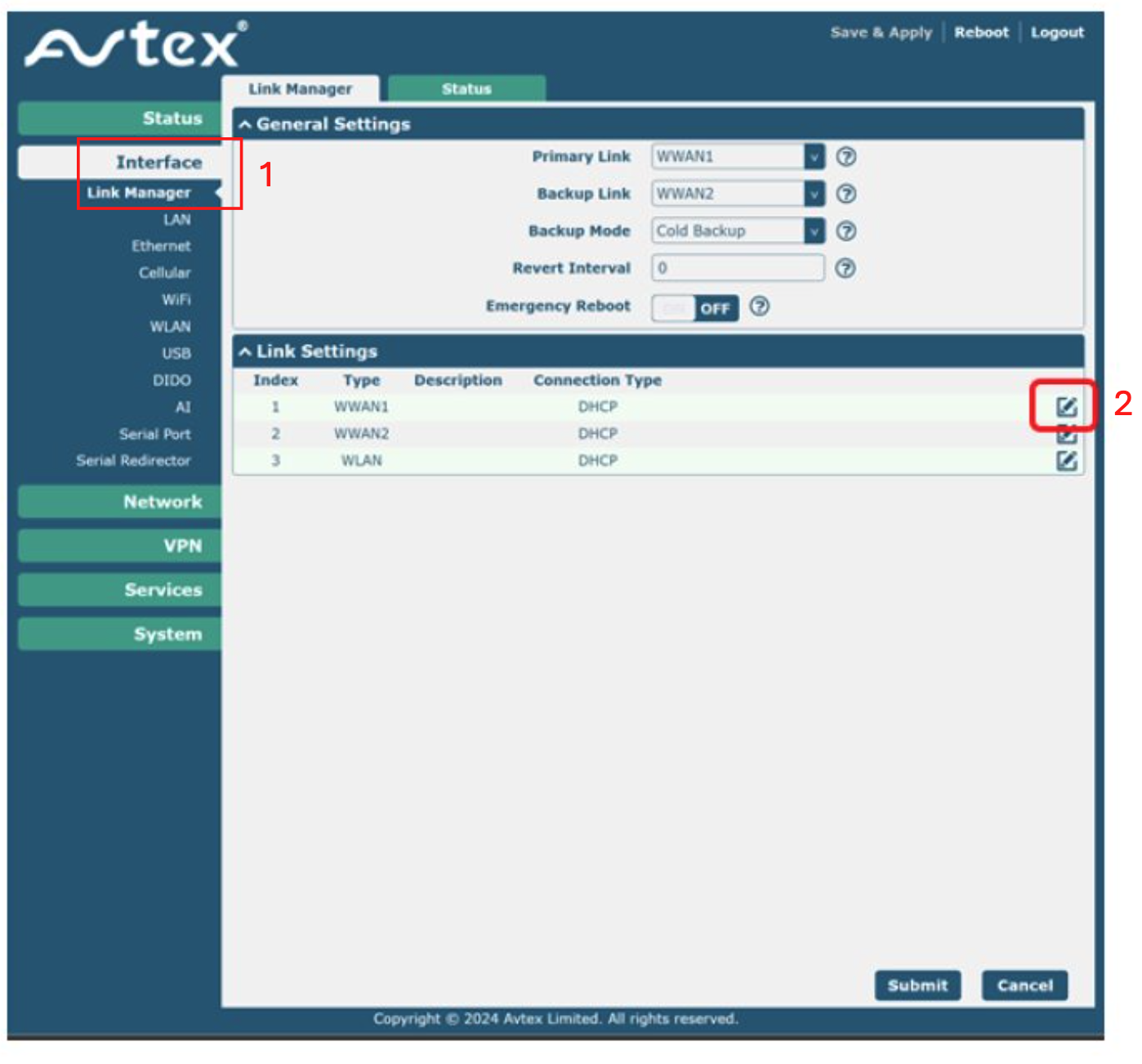
Navigate to Interface > Link Manager > Link Settings. Select the edit icon next to WWAN1.
For IQ Travel / IQ Mobile SIMs:
| Field | Value |
|---|---|
| APN | everywhere |
| Username | eesecure |
| Password | secure |
| Authentication Type | Auto |
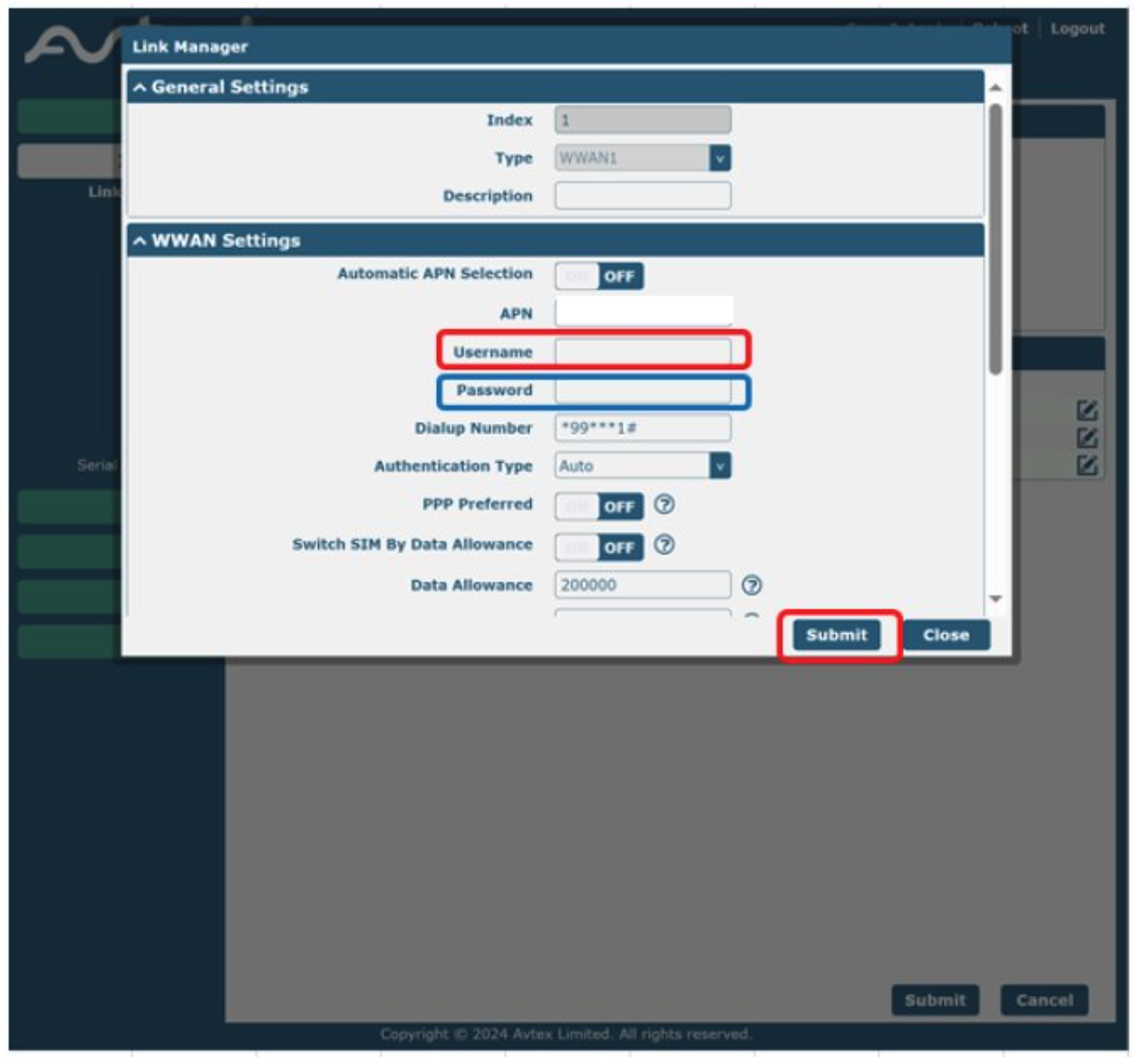
Submit the form to complete configuration.
Need a SIM for this router?
Every router in these guides takes a standard data SIM. Touring in a caravan or motorhome? A Travel SIM keeps you online across Europe too.
Still need help?
Our UK-based team is here for you