Handset Information
iPhone — Reset Network Settings
Resetting network settings may be necessary when swapping SIMs, roaming internationally, or following network operator guidance.
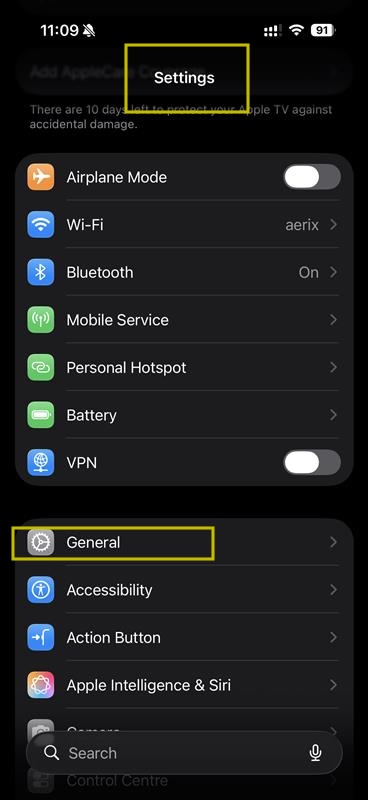
Step 1: Access the Settings menu from your home screen, then navigate to the General menu.
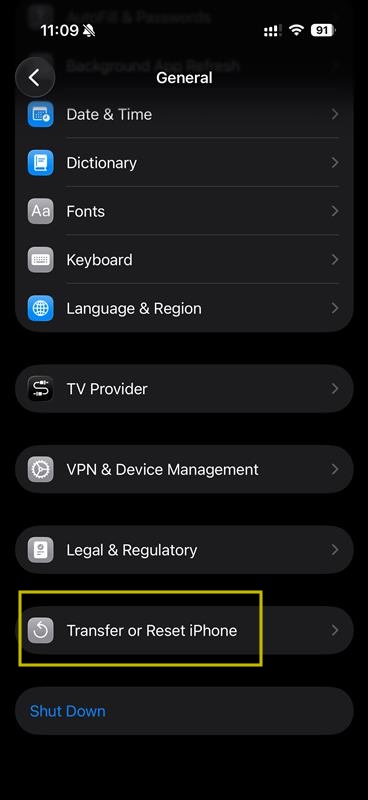
Step 2: Within General settings, scroll downward to locate the "Transfer or Reset iPhone" option.
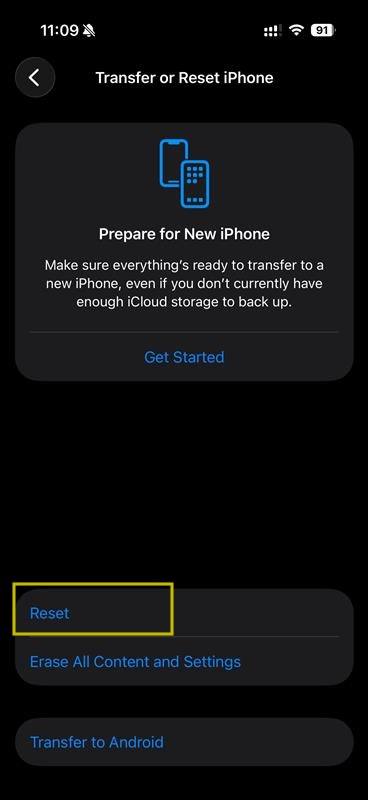
Step 3: Select the Reset button within the Transfer or Reset iPhone menu.
Step 4: When the reset options appear, select "Reset Network Settings" specifically. Other reset options have different effects and should be avoided.
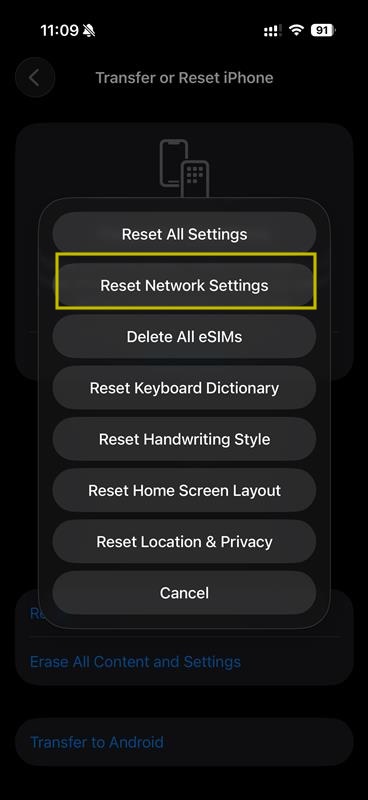
Resetting network settings will remove saved Wi-Fi passwords and VPN configurations. Your apps and data will not be affected.
Looking for a new phone?
Simple handsets and smartphones, ready to go with a SIM-only plan on the EE network.
Still need help?
Our UK-based team is here for you