Handset Information
Activating eSIMs on Apple Devices
eSIMs, despite being delivered more quickly than a physical SIM, require a few extra steps to set up on your device.
Not all smartphones are compatible with eSIM technology. If you are unsure whether your device supports eSIM, check our compatibility guide or get in touch with our support team.
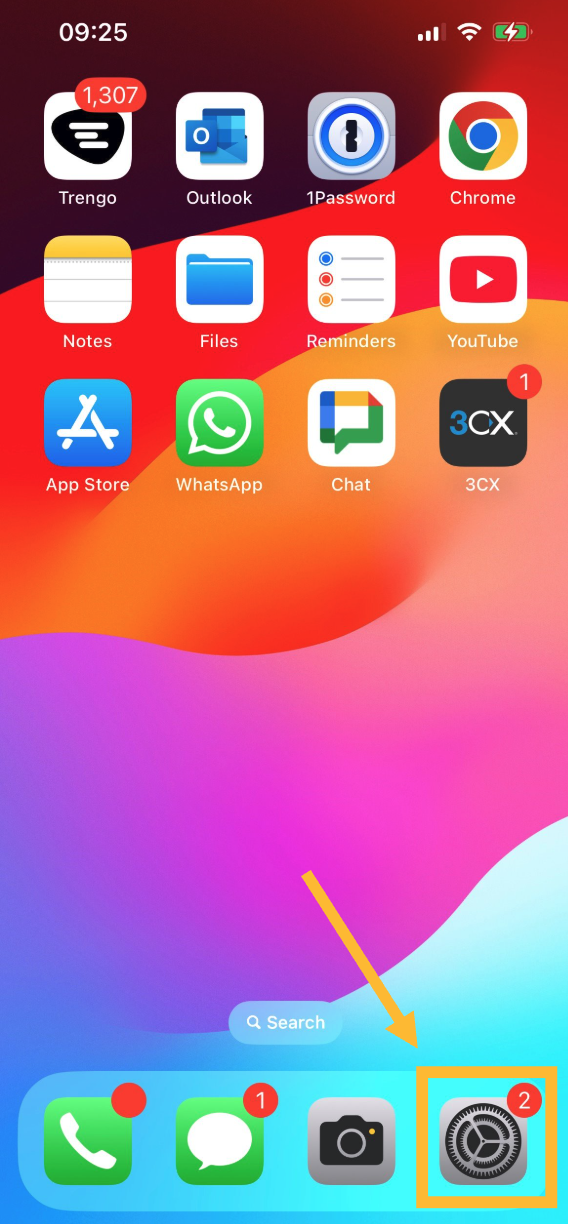
Step 1: Navigate to your device's Settings.
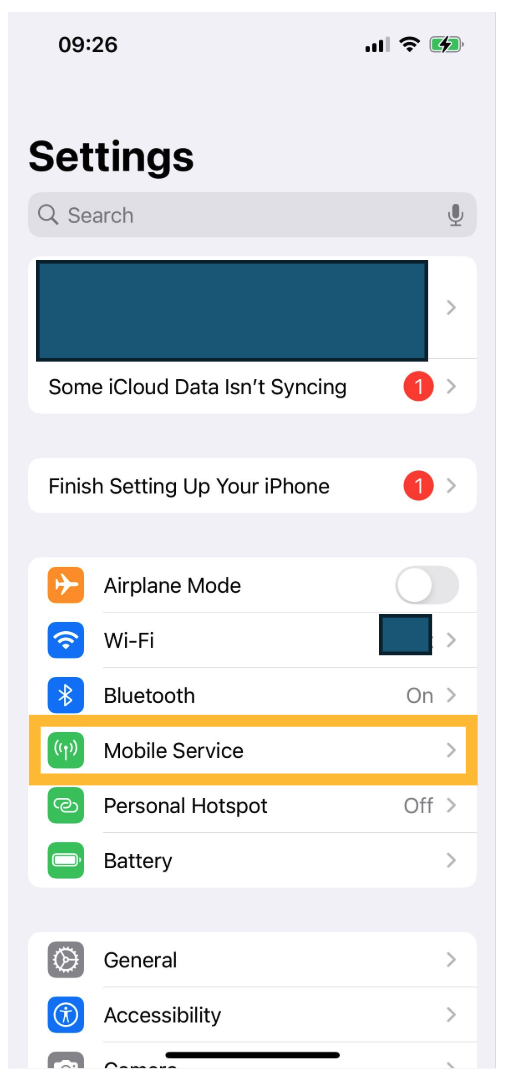
Step 2: Navigate to Mobile Service.
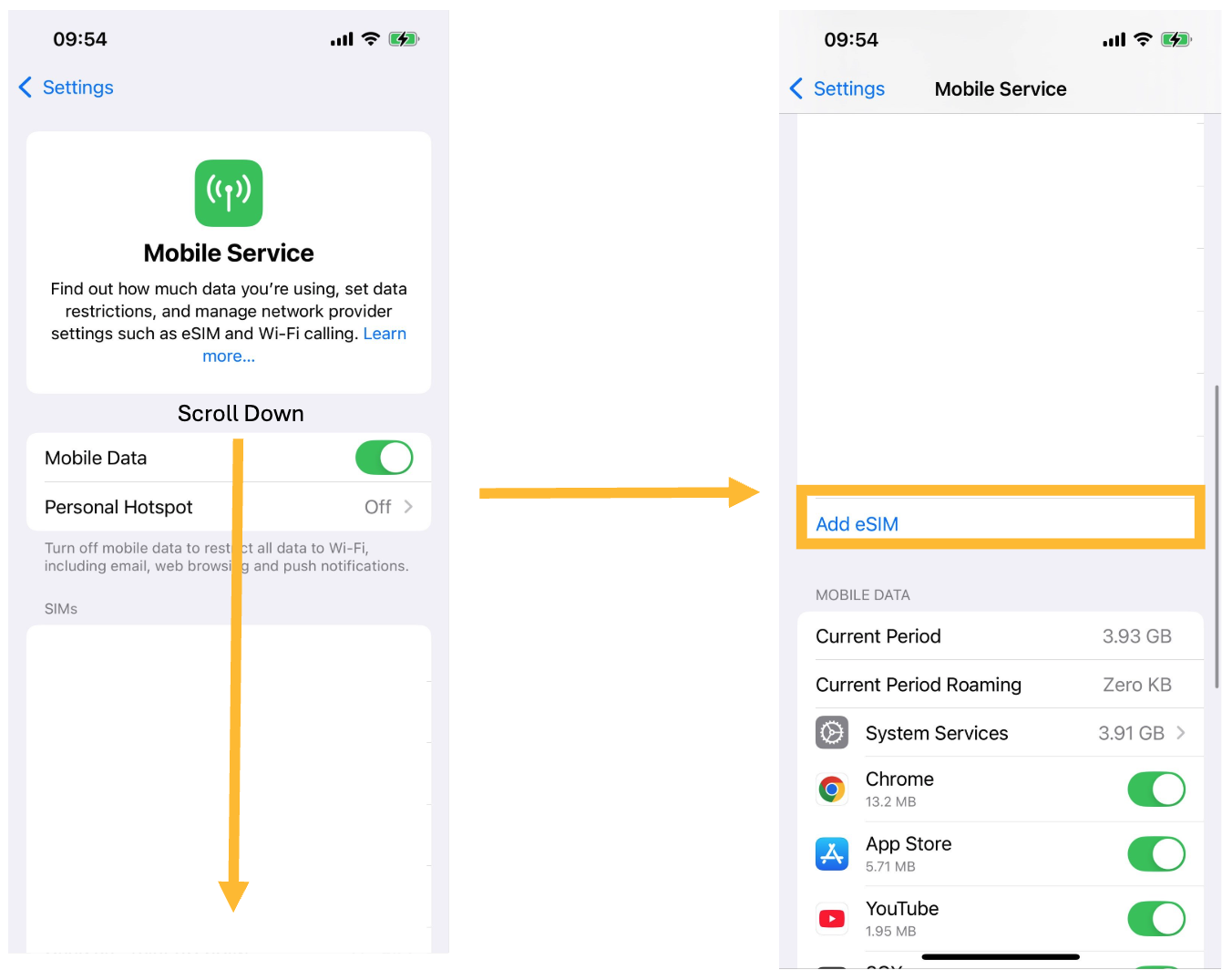
Step 3: Scroll down and select Add eSIM.
Step 4: Select Use QR Code.
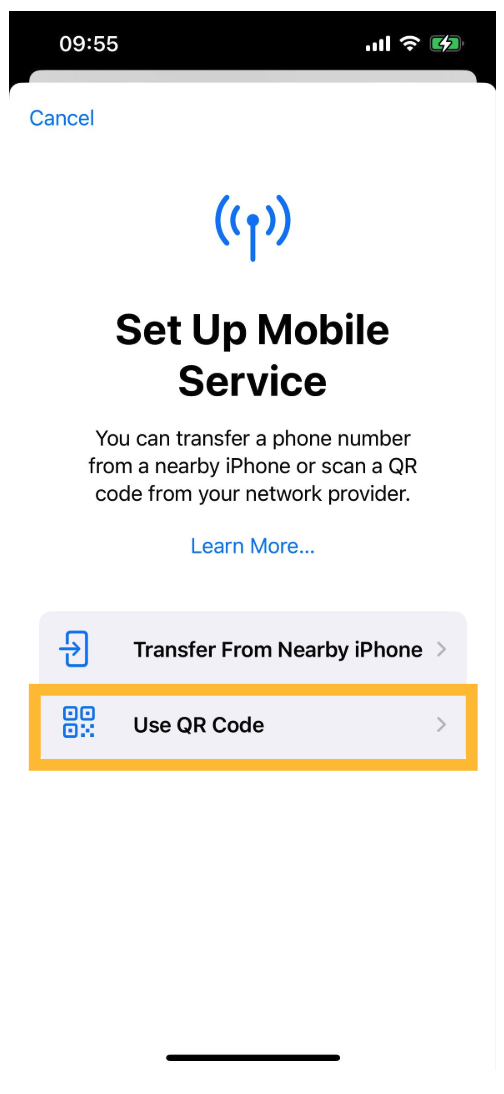
Scan the eSIM QR code you were provided. If this is an IQ Mobile eSIM, this will be in your order confirmation email.
Wait for the eSIM to activate, then give your eSIM a name to identify it by.
If you have only one SIM, setup is complete at step 6.
If You Have Multiple SIMs
Select a SIM to be your Primary Mobile Service SIM, and select a SIM to be your Primary Data SIM. Primary SIM assignments can be modified later.
Common configurations include: a SIM for calls and texts plus a second SIM for data, or a main SIM for personal use and a secondary SIM for work.
Looking for a new phone?
Simple handsets and smartphones, ready to go with a SIM-only plan on the EE network.
Still need help?
Our UK-based team is here for you