Handset Information
iMessage — Updating Settings After Porting Your Number
When transferring an existing phone number to an iPhone, iMessage may continue displaying the previous number. iMessage does not update to your ported number automatically — you must manually adjust these settings.
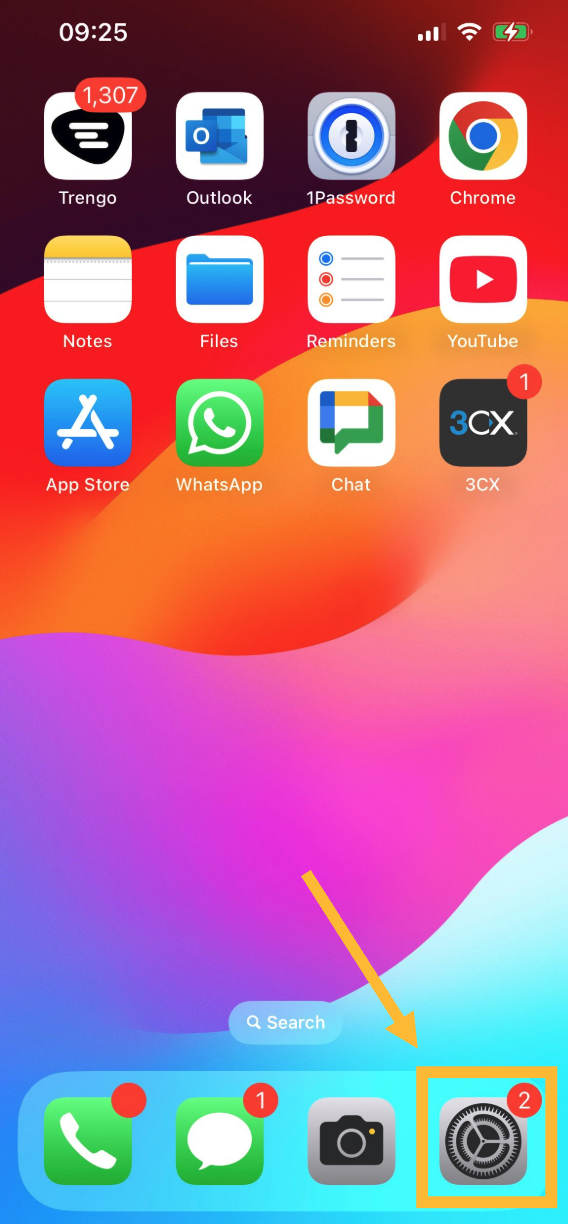
Step 1: Navigate to your device's Settings.
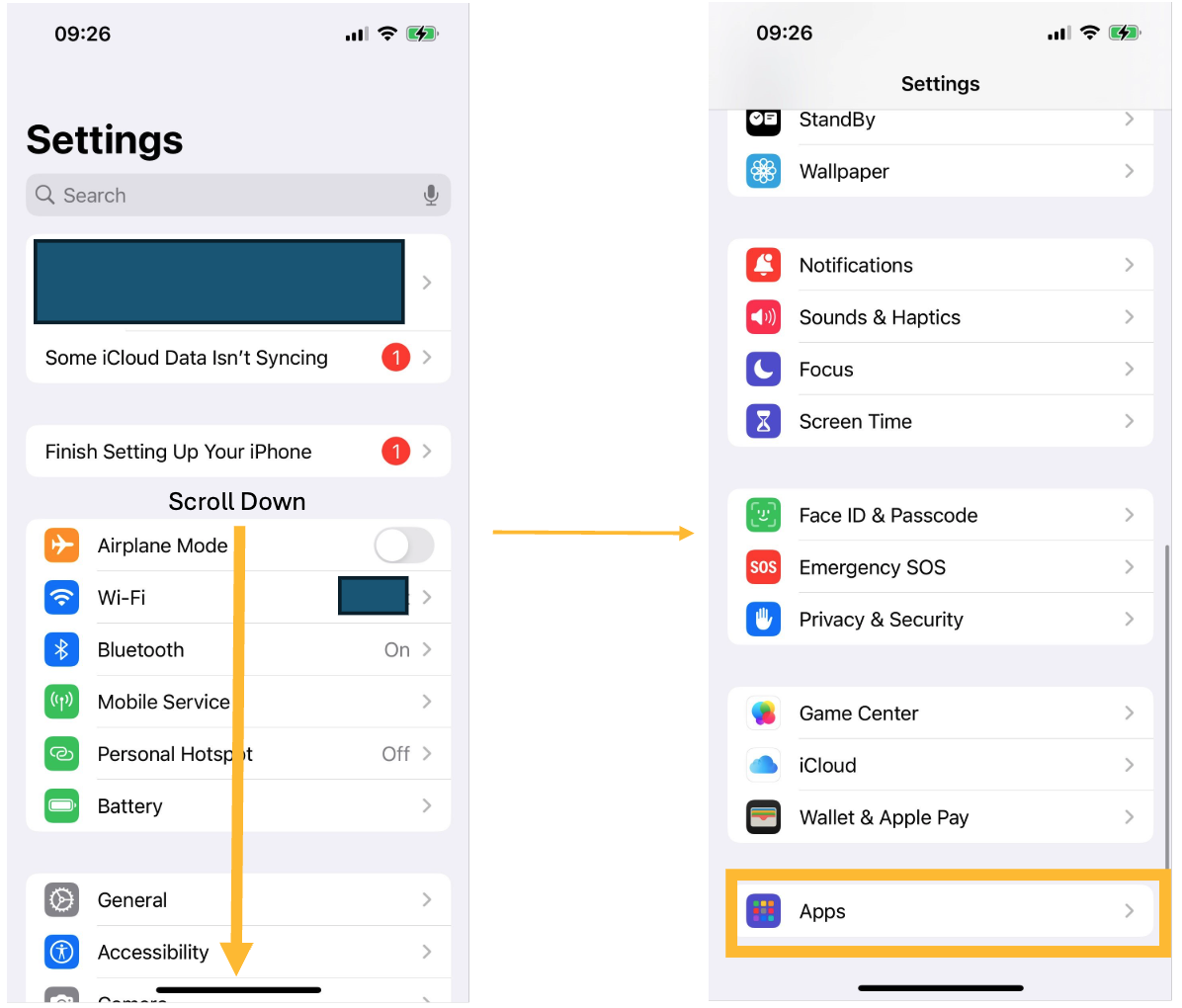
Step 2: Navigate to Apps.
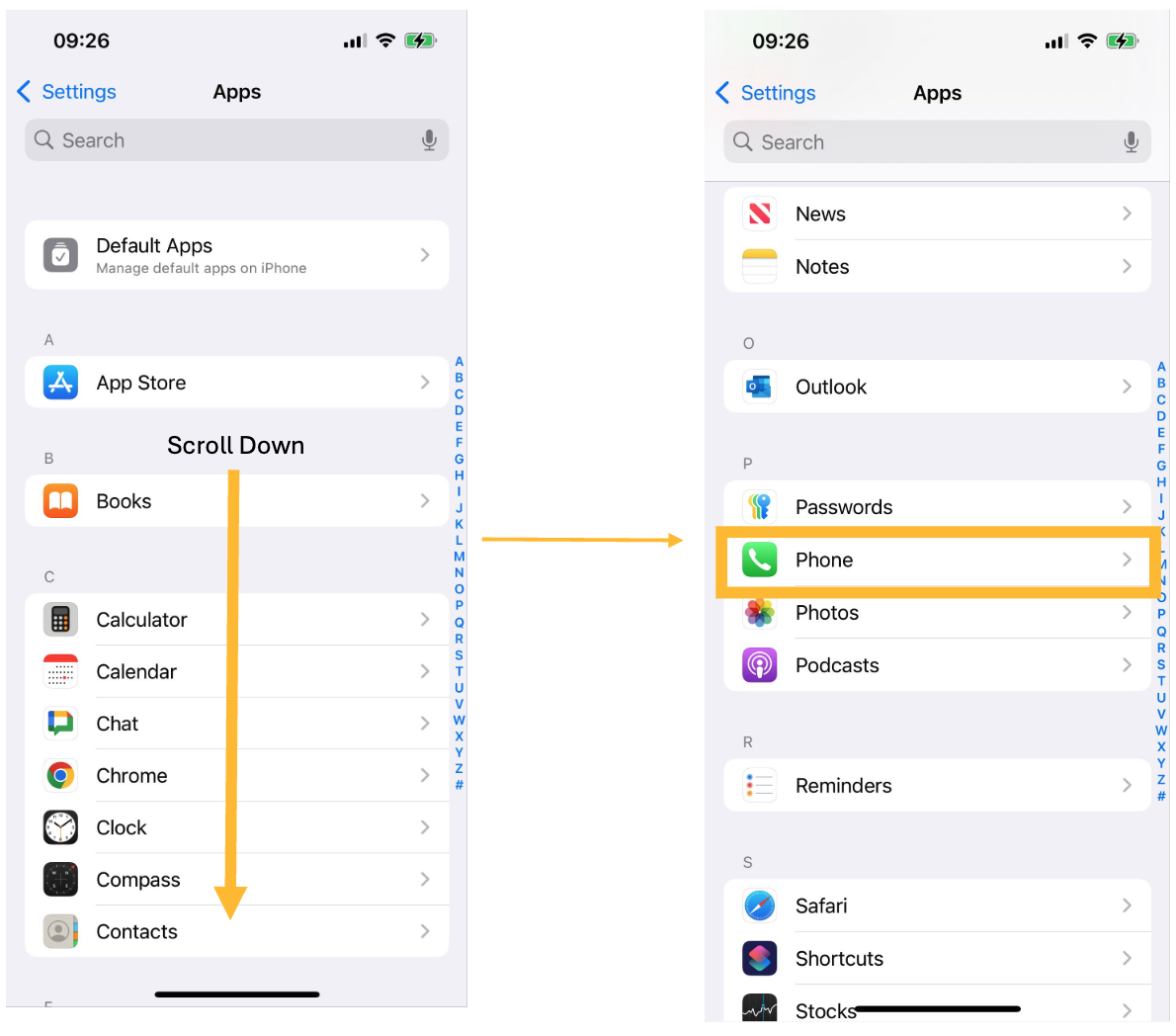
Step 3: Find the Phone app in the Apps list.
Step 4: Locate the My Number setting.
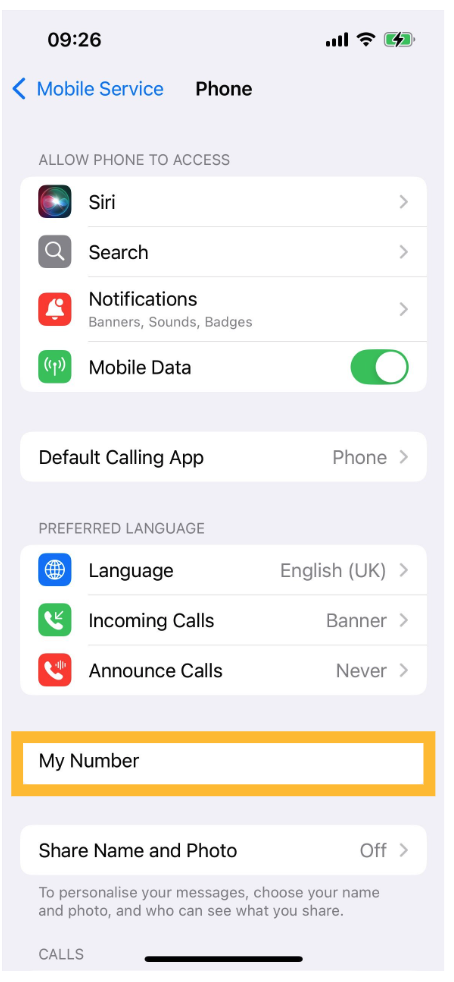
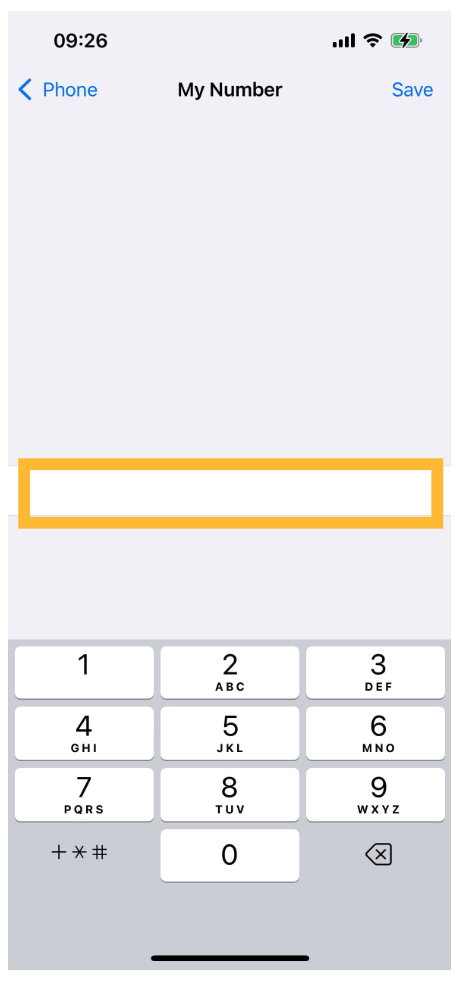
Step 5: Update the text field with your ported number.
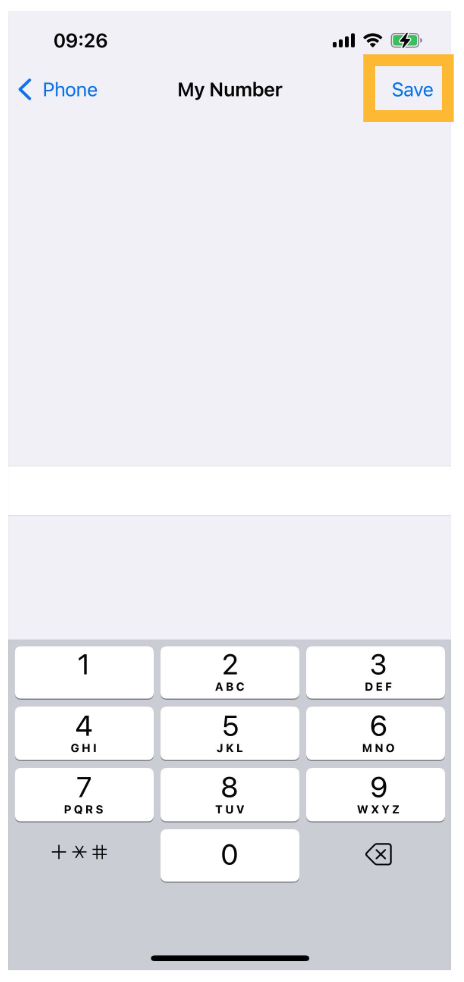
Step 6: Save the changes and verify that iMessage has correctly updated to reflect your new number.
Looking for a new phone?
Simple handsets and smartphones, ready to go with a SIM-only plan on the EE network.
Still need help?
Our UK-based team is here for you