Handset Information
iPhone Manual Network Selection
Manual network selection switches your device from automatic to manual network searching — primarily used when roaming. When travelling outside UK EE coverage areas, you may need to manually direct your phone to search for and select an available network.
Step 1: Access your Settings menu from the home screen. Navigate to the Mobile Service menu and select it.
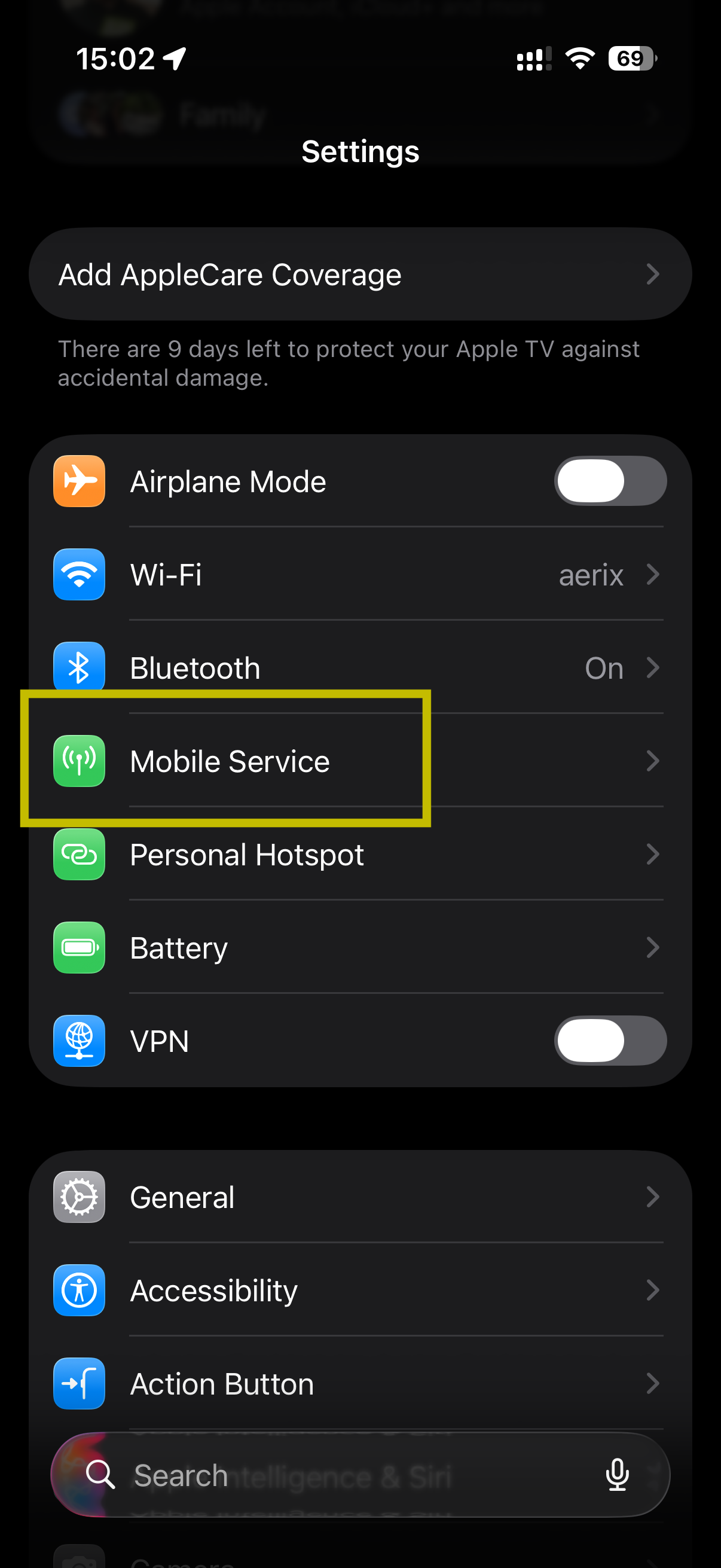
Step 2: Within the Mobile Service menu, locate and open the Network Selection menu.
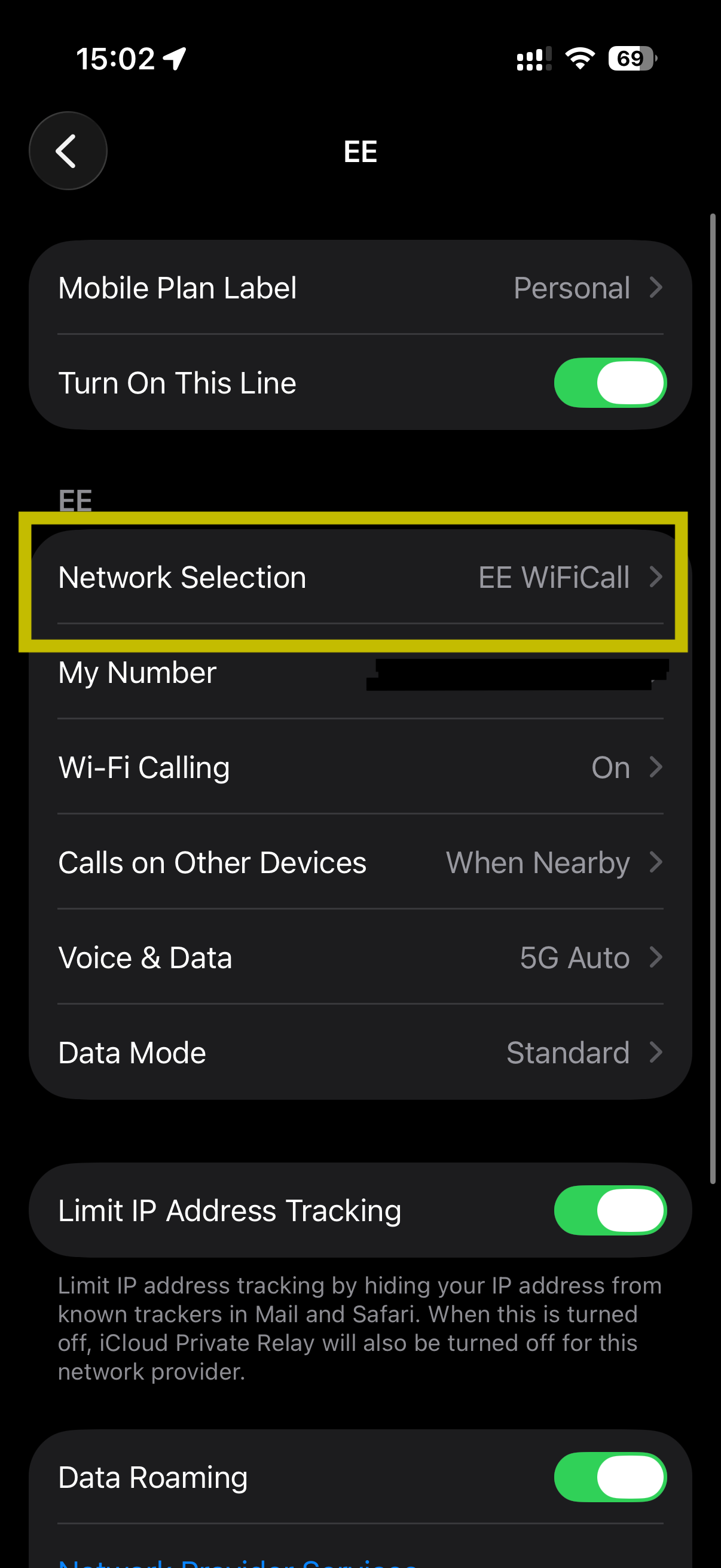
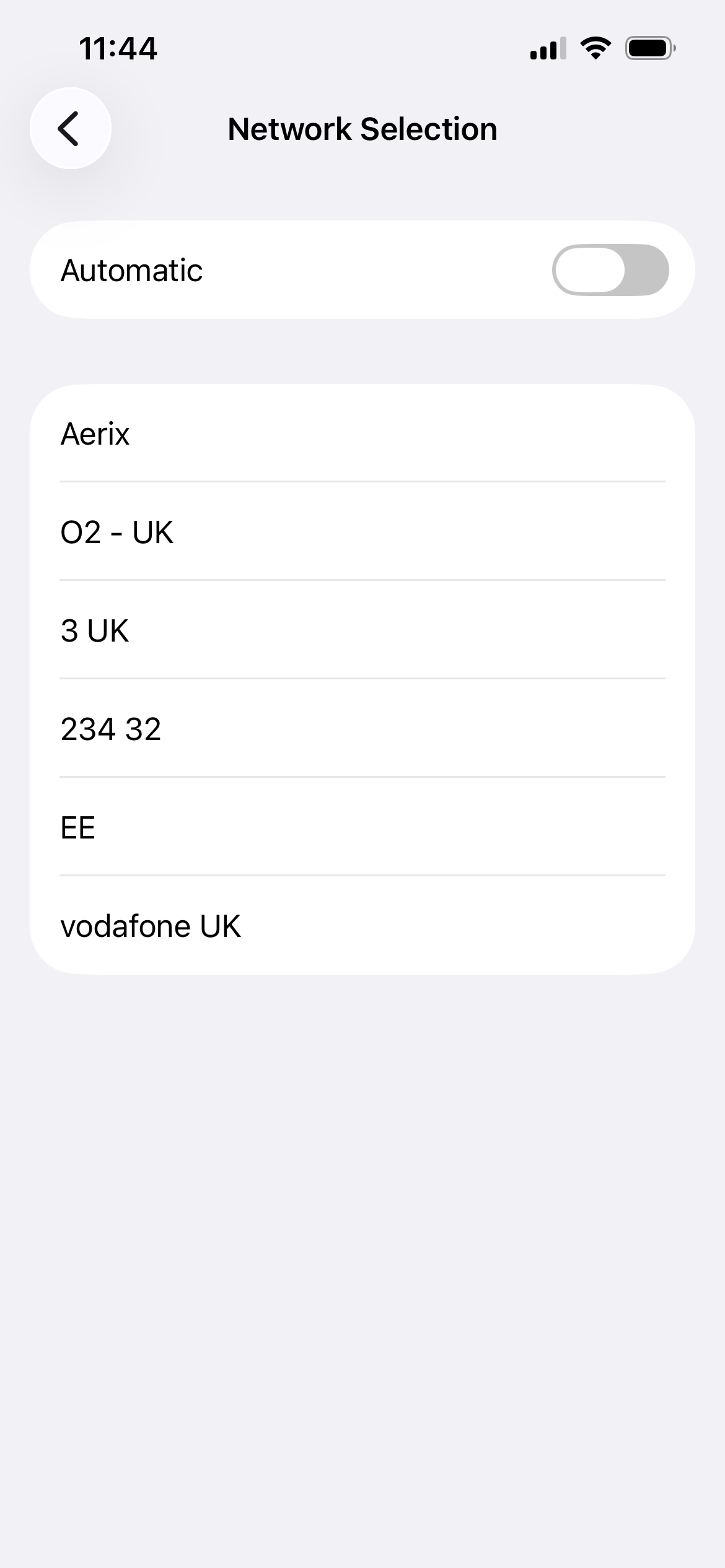
Step 3: In the Network Selection menu, deactivate the automatic selection toggle.


Step 4: After disabling the toggle, wait several seconds for available signals to appear. The list varies by location — in France you might see SFR, Orange FR, and Bouygues; in Spain you might see Movistar and Free.
Remember to turn automatic network selection back on when you return to the UK, or when you no longer need to manually control network selection.
Looking for a new phone?
Simple handsets and smartphones, ready to go with a SIM-only plan on the EE network.
Still need help?
Our UK-based team is here for you