Handset Information
Swapping Between Simple and Android Mode on Emporia Devices
Emporia devices can easily swap between Simple Mode (designed for less technical users) and Android Mode (standard Android interface).
Swapping to Android Mode
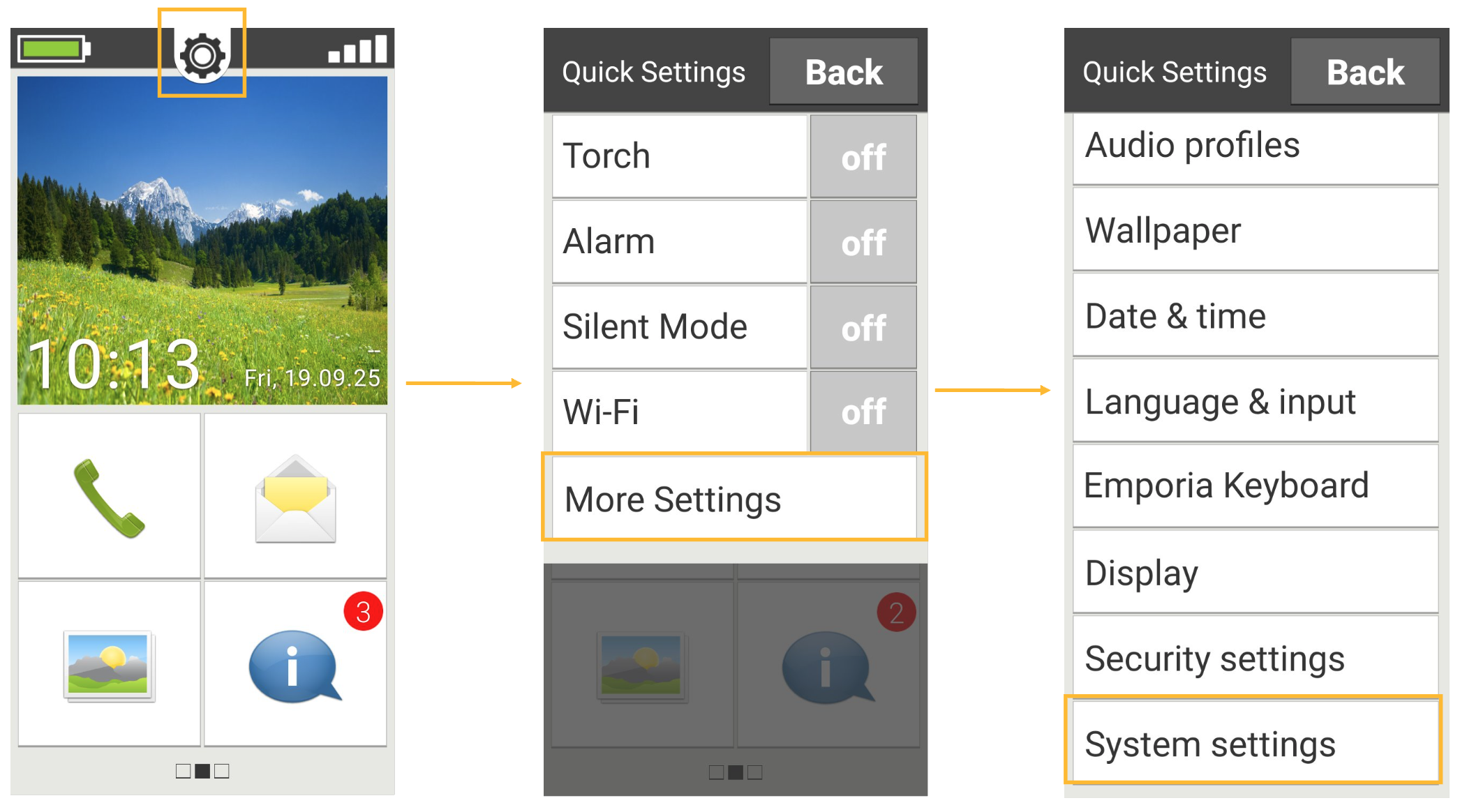
Step 1: Access settings by clicking the cog icon on the home screen, selecting More Settings, then navigating to System Settings.
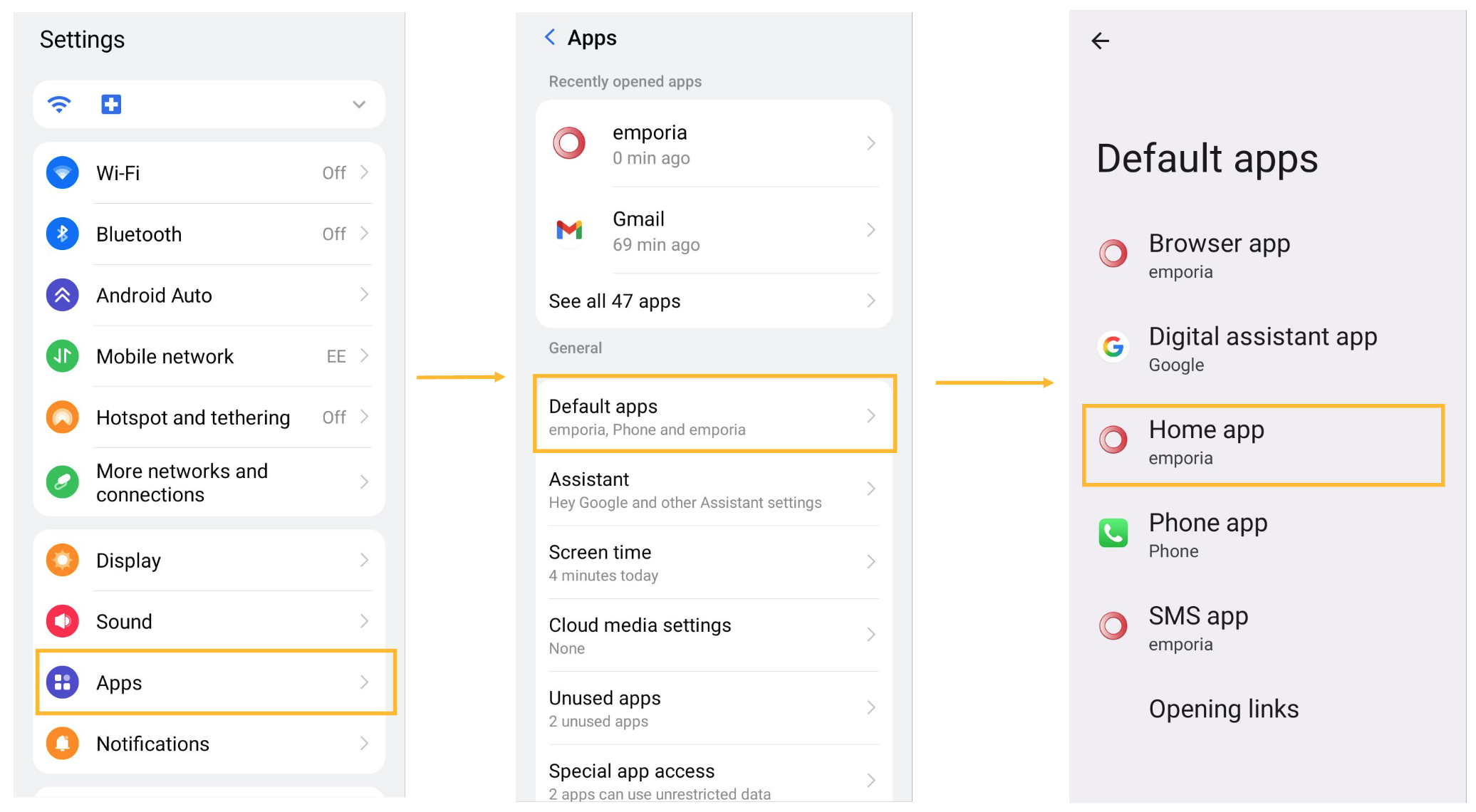
Step 2: Choose Apps, then Default Apps, followed by Home App.
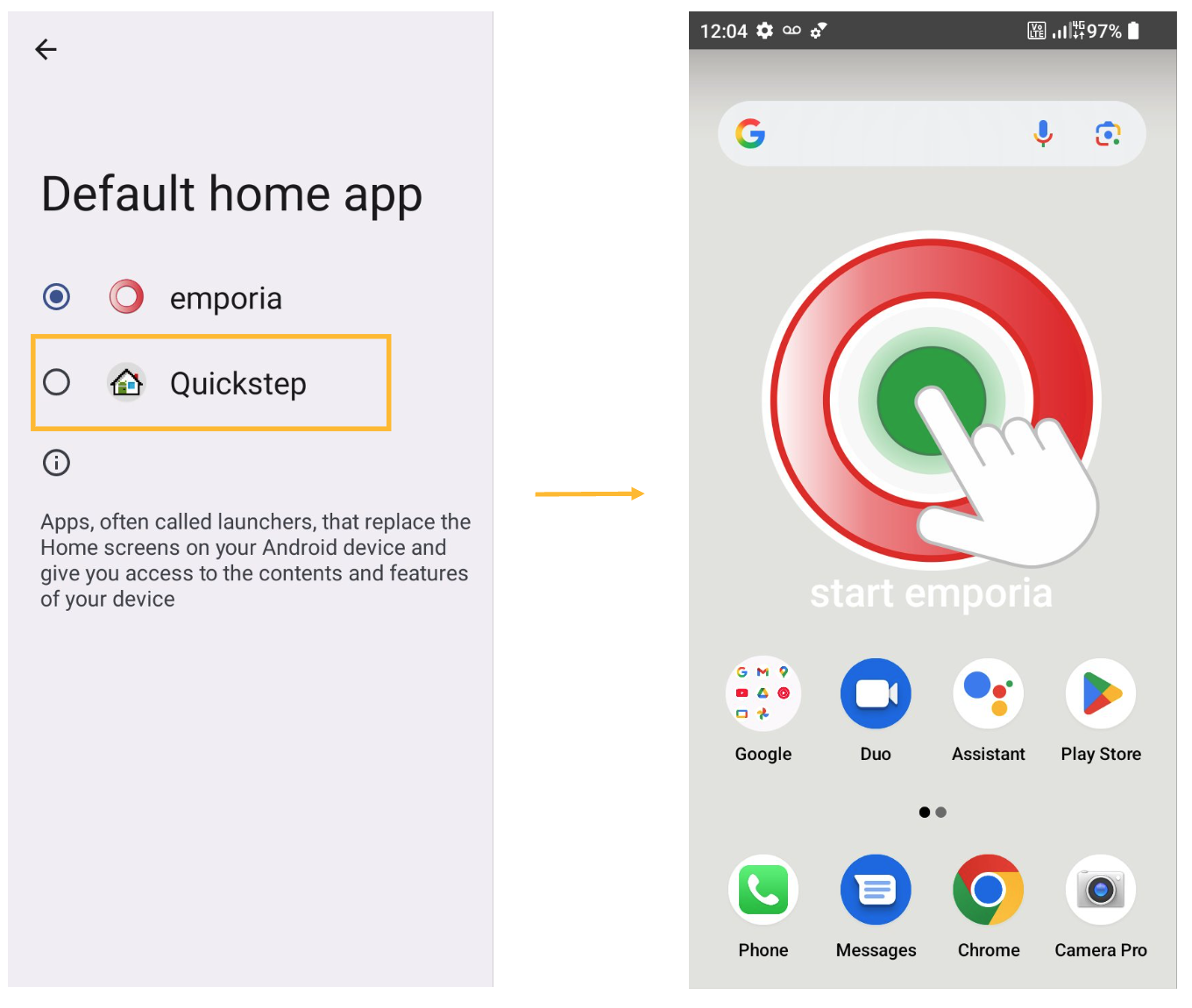
Step 3: Select Quickstep and wait approximately 10 seconds. The phone should automatically return to the home page with the Android interface now active.
Swapping to Simple Mode
Step 1: From the home screen, swipe upward from the bottom and select Settings.
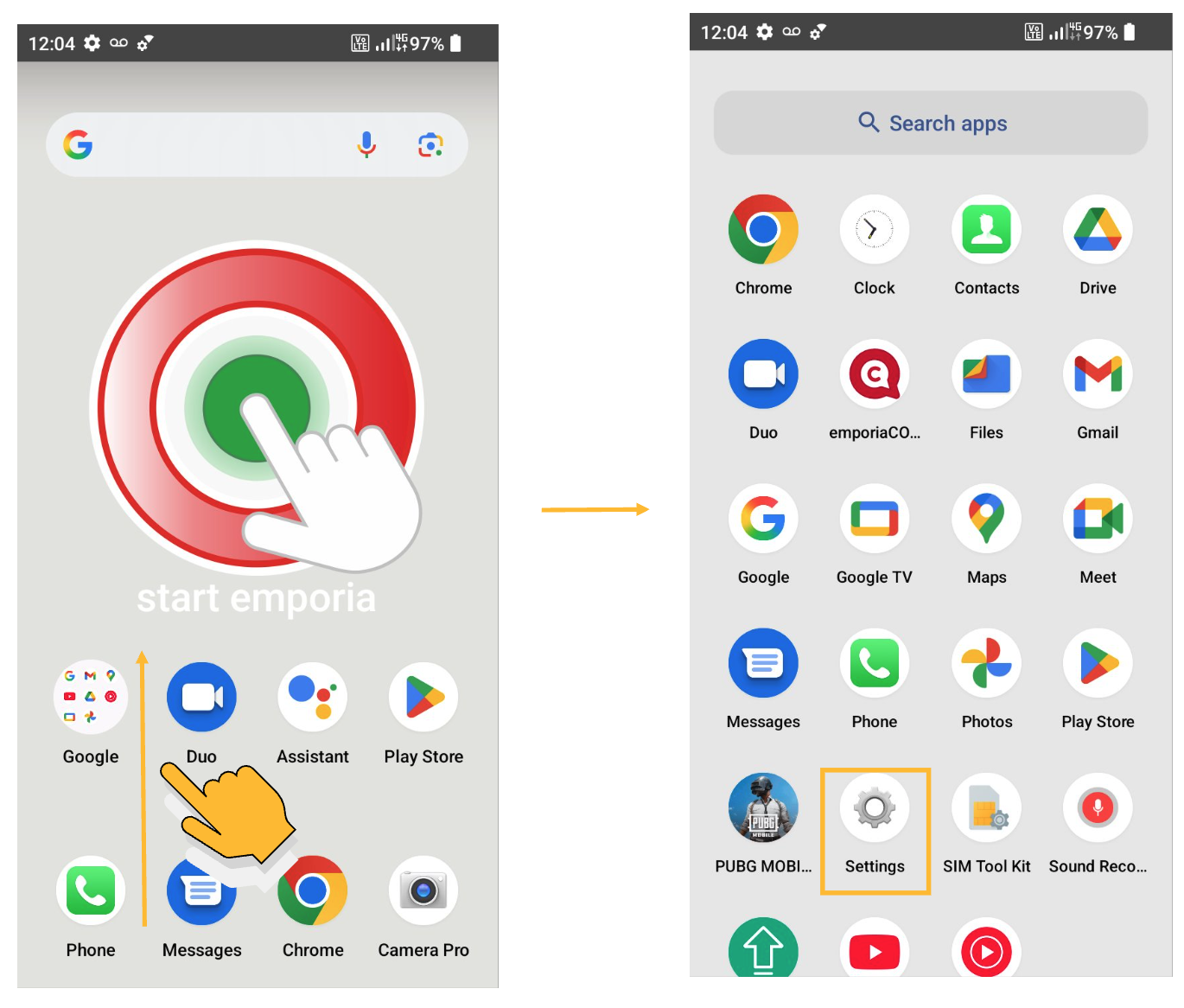
Step 2: Navigate to Apps, then Default Apps, then Home App.
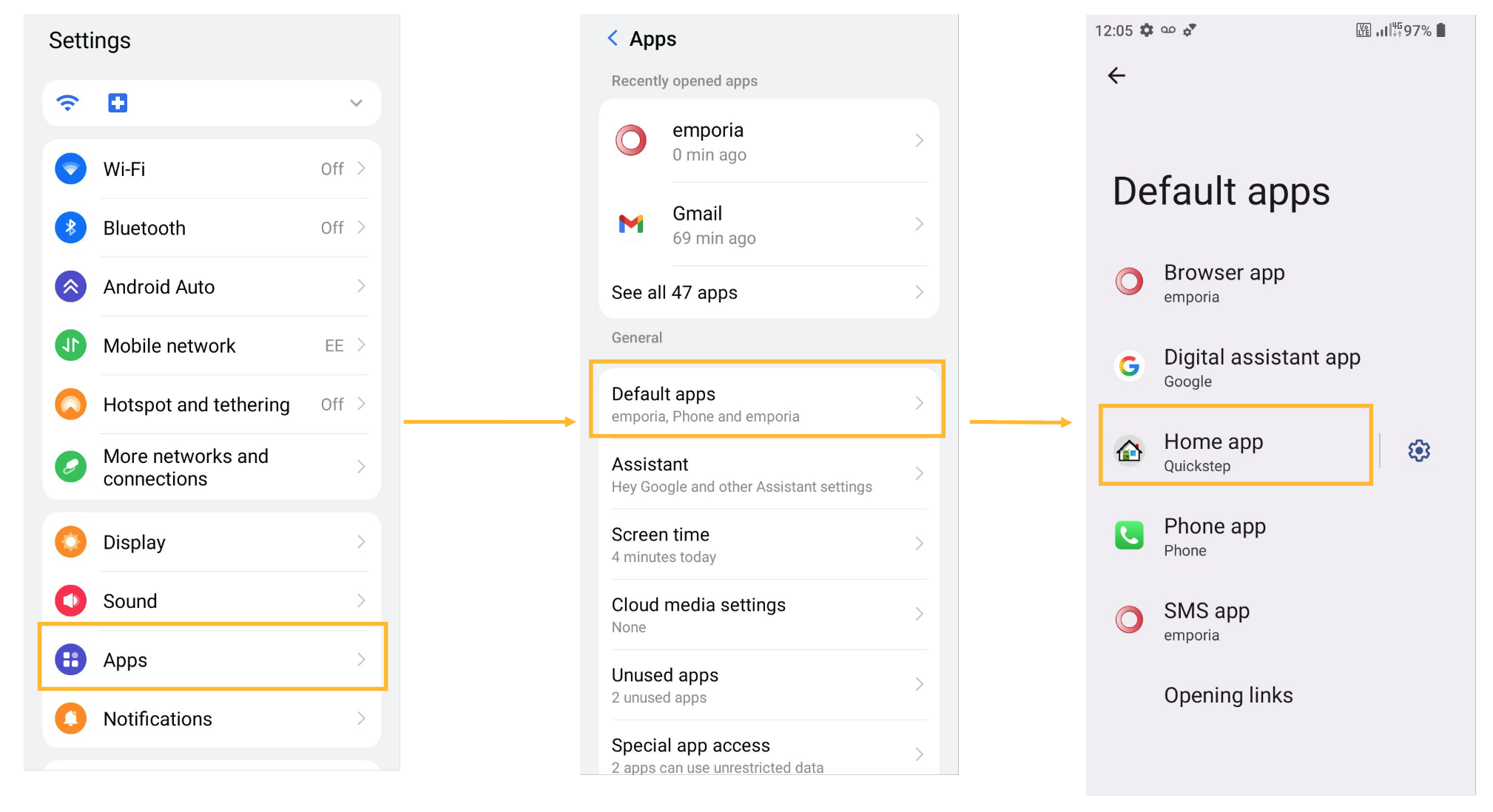
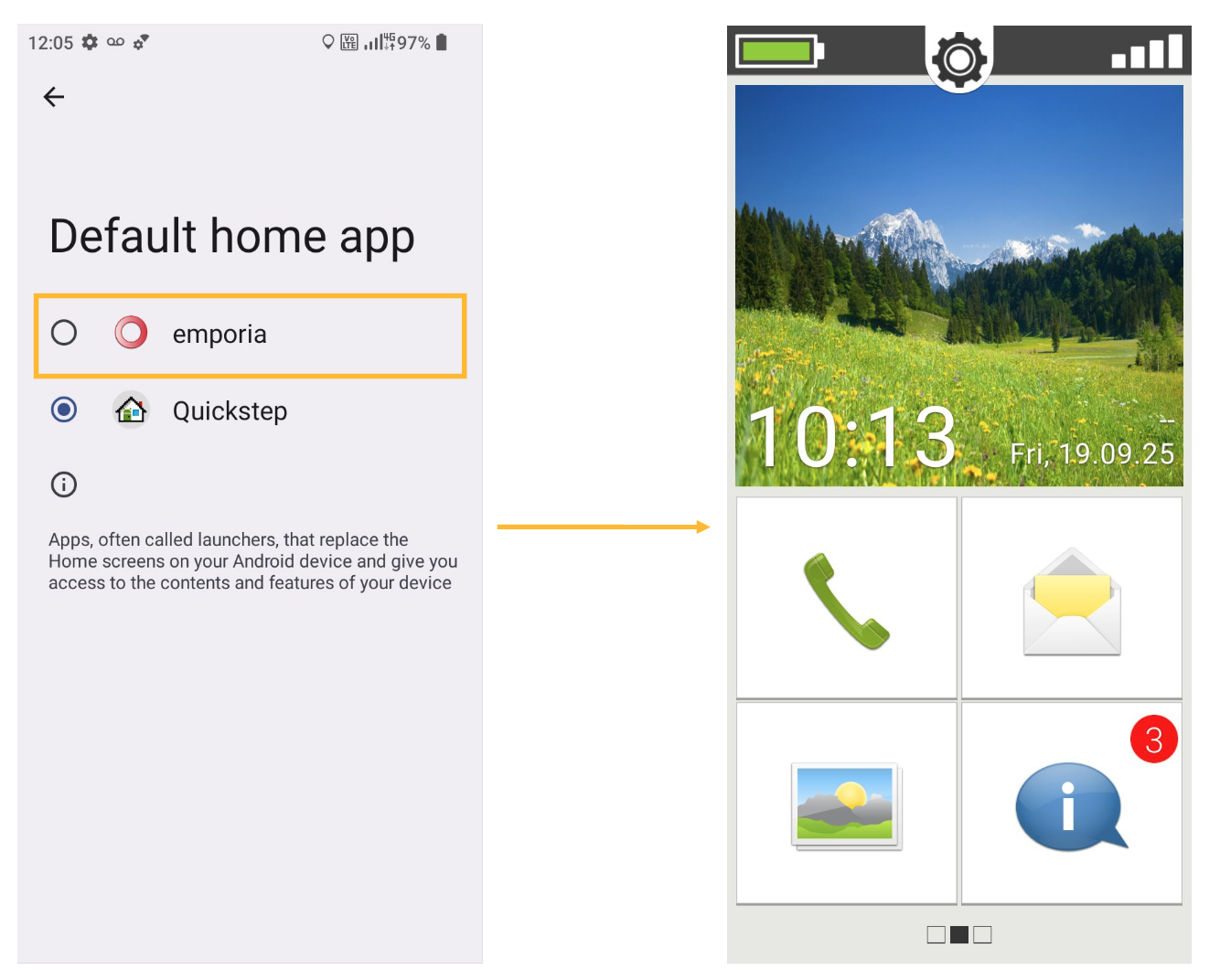
Step 3: Select Emporia and wait about 10 seconds. The phone should automatically return to the home page with Simple Mode enabled.
Looking for a new phone?
Simple handsets and smartphones, ready to go with a SIM-only plan on the EE network.
Still need help?
Our UK-based team is here for you